
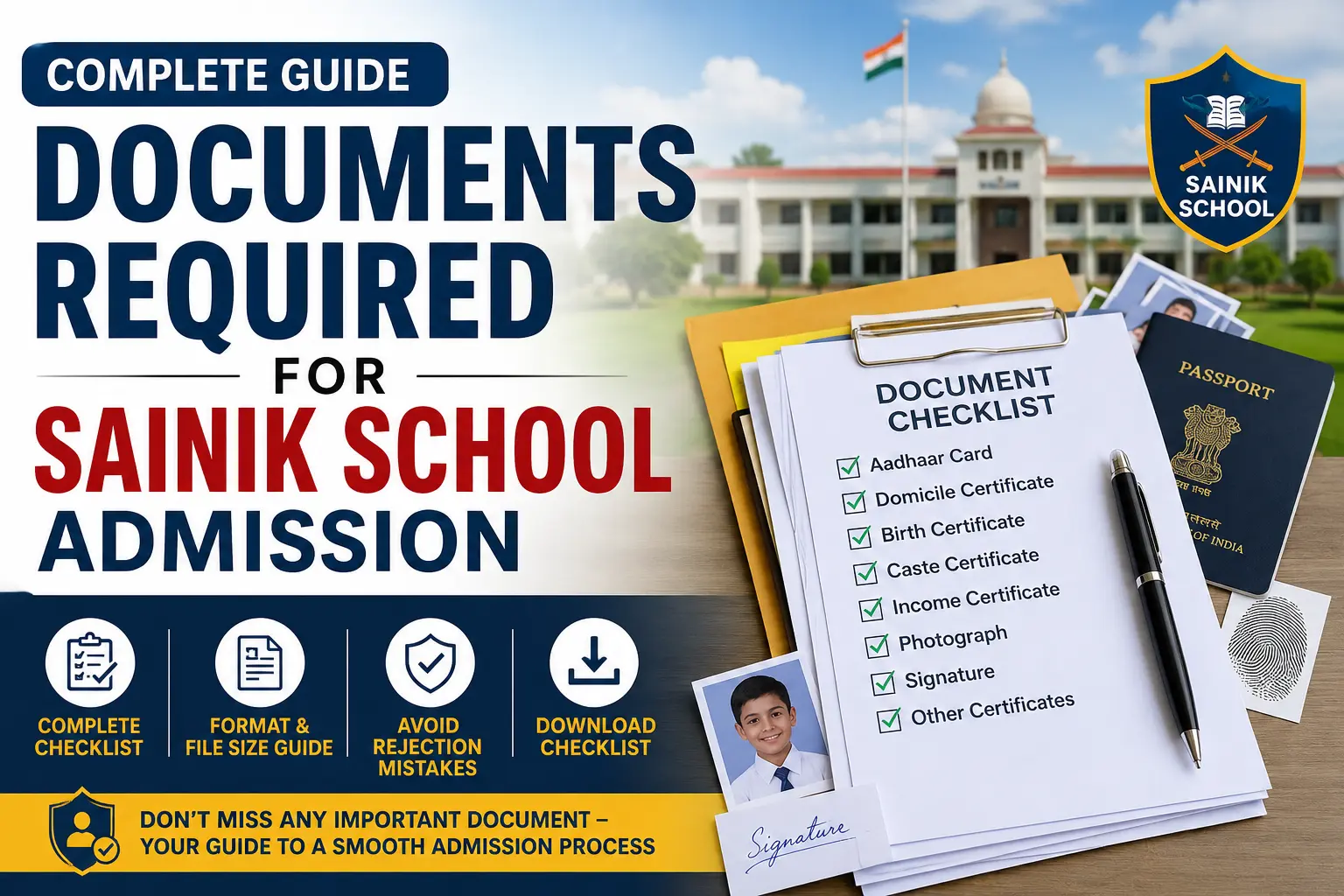
Documents Required for Sainik School Admission – Complete Checklist
If your child is preparing for AISSEE (All India Sainik School Entrance Examination), getting the documents right is just as important as exam preparation. Every year, hundreds of applications get rejected — not because of low scores, but because of incorrect, blurry, or missing documents.
Most parents focus almost entirely on coaching and practice papers. The documents part feels like a formality. But here is the reality: a single wrong upload — even a photo that is slightly too large or a certificate in the wrong format — can get your child’s form rejected before it even reaches the evaluator.
This guide gives you every document needed at every stage of Sainik School admission: the application form, counselling, medical examination, and final admission. We have also added a checklist, common rejection reasons, and tips that most parents find out too late. If you are also looking for structured preparation, explore our Sainik School coaching programme to give your child the best chance at clearing AISSEE.
Table of Contents
- Documents Required for AISSEE Application Form
- Documents Required During AISSEE Counselling
- Documents Required for Medical Examination
- Documents Required at Final Admission
- Document File Size & Format Guide
- Common Reasons for Document Rejection
- Tips for Parents Before Uploading Documents
- State / Domicile Certificate Rules
- Final Submission Checklist
- Frequently Asked Questions (FAQs)
1. Documents Required for AISSEE Application Form
The AISSEE application form is filled and submitted online on the official NTA portal. According to the AISSEE official website, candidates must upload the following documents in specific formats and sizes. Keep all of these ready before you begin — the portal does not save partially filled forms.
The exam is conducted by the National Testing Agency (NTA), which is the official authority for all AISSEE notifications, admit cards, results, and document requirements. Always refer to NTA announcements for the latest updates. Before applying, also make sure your child meets all eligibility conditions — our Sainik School coaching page covers eligibility, exam pattern, and preparation in detail.
| # | Document | Format | Size Limit | Notes |
|---|---|---|---|---|
| 1 | Passport-Size Photograph | JPG only | 10 KB – 200 KB | White/plain background, recent photo |
| 2 | Candidate’s Signature | JPG only | 10 KB – 100 KB | Signed on white paper in running handwriting |
| 3 | Thumb Impression | JPG only | 10 KB – 100 KB | Left thumb for boys, right thumb for girls |
| 4 | Aadhaar Card (Candidate or Parent) | JPG / PDF | 50 KB – 300 KB | Used as valid ID proof |
| 5 | Birth Certificate | JPG / PDF | 50 KB – 300 KB | Municipal corporation or hospital issued |
| 6 | Domicile / Residence Certificate | JPG / PDF | 50 KB – 300 KB | Issued by SDM/Tehsildar of home state |
| 7 | Caste Certificate (if applicable) | JPG / PDF | 50 KB – 300 KB | SC/ST/OBC — required for reservation |
| 8 | Income Certificate (if applicable) | JPG / PDF | 50 KB – 300 KB | For fee concession or scholarship claims |
| 9 | School ID / Bonafide Certificate | JPG / PDF | 50 KB – 300 KB | From current school confirming enrollment |
Photograph Guidelines — Read Carefully
- Use a recent photo taken against a plain light-coloured background.
- No goggles, caps, or heavy jewellery in the photo.
- The face must be clearly visible and centred in the frame.
- Photos taken with a mobile camera are acceptable only if they meet the quality and size requirements.
- If the photo is blurry or does not match the specifications, the form will be rejected outright.
Signature & Thumb Impression Guidelines
- The candidate must sign themselves — do not let a parent sign on their behalf.
- Sign on a blank white paper using a black or dark blue pen.
- The thumb impression must be clear, complete, and smear-free.
2. Documents Required During AISSEE Counselling
After the AISSEE result is declared, shortlisted candidates are called for counselling. At this stage, you need to bring original documents along with attested photocopies. This is the verification round — any discrepancy between what was uploaded and the originals will disqualify your child.
The counselling process is managed as per the admission policies of the Sainik Schools Society, which oversees all Sainik School admissions across India. Students who qualify counselling are expected to have a strong academic foundation — knowing the Sainik School syllabus in advance helps candidates prepare more effectively for both the exam and the interview stages.
| Document | Purpose | Copies Required |
|---|---|---|
| AISSEE Scorecard | Proof of marks scored | 1 original + 2 photocopies |
| AISSEE Admit Card | Identity and exam verification | 1 original |
| Seat Allotment Letter | School allotment confirmation | 1 original printout |
| Birth Certificate (original) | Age proof verification | Original + 2 attested copies |
| Domicile Certificate (original) | State quota verification | Original + 2 attested copies |
| Caste Certificate (original) | Reservation verification | Original + 2 attested copies (if applicable) |
| Marksheet (Class 4 or Class 7) | Academic background proof | Original + 2 attested copies |
| Parent / Guardian Photo ID | Parent identity verification | Aadhaar / Voter ID / Passport |
Important: Attested copies should be signed by a Gazetted Officer, school principal, or notary. Self-attested copies are generally not accepted at the counselling stage.
3. Documents Required for Medical Examination
Every shortlisted candidate must undergo a medical fitness examination before final admission is confirmed. Sainik Schools operate under the Ministry of Defence, Government of India, and therefore maintain strict physical and health standards for admission. Here are the documents you need to carry:
- Medical Fitness Certificate from a registered MBBS doctor (not older than 3 months)
- Blood Group Report from a certified pathology lab
- Vaccination Records — BCG, polio, and other mandatory vaccines
- Eye Examination Report — visual acuity test results from a certified ophthalmologist
- Dental Fitness Certificate (if required by the specific school)
- Existing Medical History Reports — only if the candidate has any chronic conditions
Vision Standards: Sainik Schools have defined visual acuity benchmarks. Ensure the eye test is done by a certified ophthalmologist and the report clearly mentions both corrected and uncorrected vision values.
4. Documents Required at Final Admission
Once medical clearance is given and admission is confirmed, you will need to submit the following documents at the school on joining day:
| Document | Details |
|---|---|
| Transfer Certificate (TC) | From the current school — school seal and principal’s signature required |
| Previous Class Marksheet | Class 5 (for Class 6 entry) or Class 8 (for Class 9 entry) |
| Passport-Size Photographs | Minimum 8–10 recent photographs for school records |
| Parent / Guardian ID Proof | Aadhaar card, Voter ID, or Passport |
| Parent / Guardian Address Proof | Utility bill, ration card, or bank passbook |
| Bank Account Details | For scholarship disbursement and fee payment setup |
| Undertaking Forms | School-specific forms signed by parent/guardian — provided by the school at time of admission |
| Ration Card (if applicable) | For income-related fee exemption claims |
If your child is also considering other premier military schools, our Rashtriya Military School (RMS) coaching and RIMC coaching programmes follow a similar admission and documentation process. The document checklist above largely applies to those as well.
5. Document File Size & Format Guide
This is where most parents make mistakes. The NTA portal is strict about file formats and sizes. Keep this reference table handy before you start uploading:
Pro tip for digital documents: If you have certificates saved on DigiLocker, you can download them directly from there. DigiLocker-issued documents are government-verified and widely accepted for online applications. Just ensure they are converted to the correct format and size before uploading on the NTA portal.
| Document Type | Accepted Format | Min Size | Max Size | Recommended Dimensions |
|---|---|---|---|---|
| Passport Photograph | JPG only | 10 KB | 200 KB | 200 × 230 pixels |
| Signature | JPG only | 10 KB | 100 KB | 140 × 60 pixels |
| Thumb Impression | JPG only | 10 KB | 100 KB | 140 × 60 pixels |
| Aadhaar / ID Card | JPG or PDF | 50 KB | 300 KB | Scan clearly — both sides |
| Birth Certificate | JPG or PDF | 50 KB | 300 KB | Full page scan |
| Caste / Domicile Certificate | JPG or PDF | 50 KB | 300 KB | Full page scan |
| Marksheet / School Report | JPG or PDF | 50 KB | 300 KB | Full page scan |
How to Compress Documents Without Losing Quality
- Use apps like Adobe Scan, CamScanner, or Microsoft Lens to scan documents on your phone.
- To reduce JPG file size without losing clarity, use TinyJPG (tinyjpg.com) — it is free.
- For PDFs, use ilovepdf.com to compress before uploading.
- Always open and preview the file after scanning to confirm the text is fully readable before uploading.
6. Common Reasons for Document Rejection
These are the real mistakes that cause form rejections every year. Go through this list carefully before hitting Submit:
- Photo is blurry, too dark, or taken against a coloured or printed background
- Photo shows the child wearing sunglasses or a cap
- Signature uploaded is the parent’s instead of the candidate’s own
- Documents exceed the allowed file size — most commonly photos over 200 KB
- Caste certificate is expired or not issued by the competent authority
- Domicile certificate is from a different state than the one through which admission is being sought
- Name on the birth certificate does not exactly match the name on the application form
- PDF files uploaded where JPG format is required — especially the photo and signature fields
- Scanned documents are partial — the bottom or top of the page is cut off
- Income certificate does not correspond to the financial year mentioned on the form
Quick tip: Name all your files clearly before uploading — for example, RajeshKumar_Photo.jpg or BirthCertificate_Ananya.pdf. This avoids confusion if you need to resubmit anything during the correction window.
7. Tips for Parents Before Uploading Documents
A few practical steps that can save you a lot of trouble on deadline day:
- Get all documents in order at least two weeks before the form deadline.
- Create a dedicated folder on your phone or computer with all scanned files.
- Check each document file individually — open it after scanning to confirm it is clear and readable.
- Ensure the child’s name is spelled the same way across all documents — birth certificate, school marksheet, and Aadhaar card must all match exactly.
- If the Aadhaar name needs correction, do it in advance through the UIDAI Aadhaar portal — Aadhaar updates can take 7 to 15 working days to reflect.
- If getting a new caste or domicile certificate, apply early — these can take 2 to 4 weeks at the tahsildar office.
- Keep physical originals safely filed separately from the photocopies.
- Fill in the AISSEE application form in one sitting once all documents are ready — do not leave it partially filled.
- Take a screenshot or printout of the completed application and the confirmation page immediately after submission.
- While documents are being arranged, use the time productively — go through the complete AISSEE syllabus so your child knows exactly what topics to focus on.
8. State / Domicile Certificate Rules for Sainik School Admission
This is one of the most misunderstood documents. The domicile certificate is not just address proof — it determines which state quota you fall under. As per the admission policies on the Sainik Schools Society website, each school has a fixed number of seats allocated per state. Getting this certificate right is therefore critical.
- The certificate must be issued in the candidate’s (child’s) name — not the parent’s name.
- It should be issued by the SDM (Sub-Divisional Magistrate) or Tehsildar of your area.
- The certificate should clearly mention the state and be issued within the last 6 months.
- If you are applying from a different state than where you currently live, consult the specific school’s prospectus for clarification.
- States like Uttar Pradesh, Maharashtra, and Rajasthan have higher competition under their respective quotas — ensure your certificate is authentic, correctly issued, and up to date.
For parents in Uttar Pradesh: You can get the domicile certificate from your local tehsil office. The process typically takes 5 to 15 working days. Many tahsil offices also allow online applications through the UP e-District portal.
9. Final Submission Checklist
Use this checklist before you click the Submit button on the AISSEE application form. For candidates applying under SC/ST/OBC or minority categories, you may also want to cross-check scholarship eligibility at the National Scholarship Portal — income and caste certificates submitted here can often be reused there as well.
| # | Item to Verify | Done ✓ |
|---|---|---|
| 1 | Passport photo ready — JPG, 10–200 KB, white background, no cap or goggles | ☐ |
| 2 | Candidate’s signature scanned — JPG, 10–100 KB, on white paper | ☐ |
| 3 | Thumb impression scanned — JPG, 10–100 KB, clear and complete | ☐ |
| 4 | Aadhaar card scanned — both sides visible, JPG/PDF, under 300 KB | ☐ |
| 5 | Birth certificate scanned — JPG/PDF, full page, under 300 KB | ☐ |
| 6 | Domicile certificate scanned — current, valid, issued in candidate’s name | ☐ |
| 7 | Caste certificate scanned — valid, issued by competent authority (if applicable) | ☐ |
| 8 | Income certificate scanned — correct financial year (if applicable) | ☐ |
| 9 | School ID / Bonafide Certificate scanned — JPG/PDF, under 300 KB | ☐ |
| 10 | Child’s name spelled exactly the same on all documents | ☐ |
| 11 | Date of birth matches across birth certificate, Aadhaar, and school marksheet | ☐ |
| 12 | Full application form preview reviewed before submission | ☐ |
| 13 | Confirmation page saved / printed after final submission | ☐ |
10. Frequently Asked Questions (FAQs)
Q1. Is Aadhaar card mandatory for Sainik School admission?
Aadhaar is the preferred ID document, but it is not the only accepted option. If your child does not have an Aadhaar card, you can upload a parent’s Aadhaar or other valid government-issued ID. That said, it is strongly recommended to have the child’s own Aadhaar card ready before applying. For Aadhaar-related queries or corrections, visit the official UIDAI website.
Q2. What if my caste certificate has expired?
An expired caste certificate will not be accepted. Apply for a renewal at your local tahsildar or SDM office before filling the AISSEE application. This can take 1 to 3 weeks, so plan ahead and do not wait for the last moment.
Q3. Can I upload documents in PDF format for the photo and signature fields?
No. The photo, signature, and thumb impression fields accept JPG format only. Uploading a PDF in these fields will result in an error or outright rejection. Only supporting certificates and documents can be uploaded in PDF format.
Q4. What documents are needed for Class 6 Sainik School admission?
For Class 6 entry, you need: passport photo, signature, thumb impression, Aadhaar card, birth certificate, domicile certificate, caste certificate (if applicable), and the Class 4 or Class 5 progress report or marksheet. For a complete breakdown of the exam and admission process, visit our Sainik School coaching page.
Q5. What documents are needed for Class 9 Sainik School admission?
For Class 9 entry, the core documents are the same as Class 6. Additionally, you need the Class 7 or Class 8 marksheet. Some schools may also ask for a conduct or character certificate from the previous school.
Q6. Who should issue the domicile certificate for Sainik School?
The domicile certificate must be issued by a competent authority — typically the SDM (Sub-Divisional Magistrate) or the Tehsildar of your district. Certificates signed only by a village sarpanch or gram panchayat secretary are generally not accepted.
Q7. What happens if documents are rejected after the form is submitted?
If NTA rejects your documents during the verification phase, a correction window is usually provided. Watch for email and SMS alerts from the National Testing Agency and log back into the portal to re-upload corrected documents before the correction deadline closes.
Q8. Can a child apply through a different state than where they were born?
Yes. What matters is the domicile or residence certificate of the state through which they are applying — not their birth state. Ensure the domicile certificate reflects the child’s current state of residence.
Q9. Is income certificate required for all applicants?
No. Income certificate is required only if the family is applying for fee concession or if the candidate falls under the Defence Service quota. It is not mandatory for general category applicants. However, if your family qualifies for any central government scholarship, you can also register at the National Scholarship Portal using the same income documents.
Q10. How many passport photos are needed in total for Sainik School admission?
For the online application you need 1 digital photo upload. For counselling, carry 4 to 6 photos. For the medical exam and final admission at the school, you may need another 6 to 10 photos. It is safest to get 15 to 20 identical passport photos in advance to cover every stage without running back to the studio.
Still Have Doubts? Our Experts Can Help
At Young Star Defence Academy, we have been guiding students and parents through the AISSEE process for over a decade. Founded by Prashant Singh, one of India’s most respected names in defence school coaching, the academy has helped thousands of families across India successfully secure Sainik School, RMS, and RIMC admissions.
If you are unsure about any documents required for Sainik School admission, or need help filling the AISSEE application form correctly, reach out to us. Our team will walk you through every step.
Call us: 08101313136 | Visit: youngstardefenceacademy.com